How to Create a Romantic AI Proposal Video – Beautiful AI Love Story Animation Tutorial
Want to create a beautiful romantic AI proposal video like the trending animations on Instagram Reels? In this tutorial, you will discover how AI technology can help you create stunning romantic couple animations, beautiful proposal scenes, and cinematic AI love story videos.
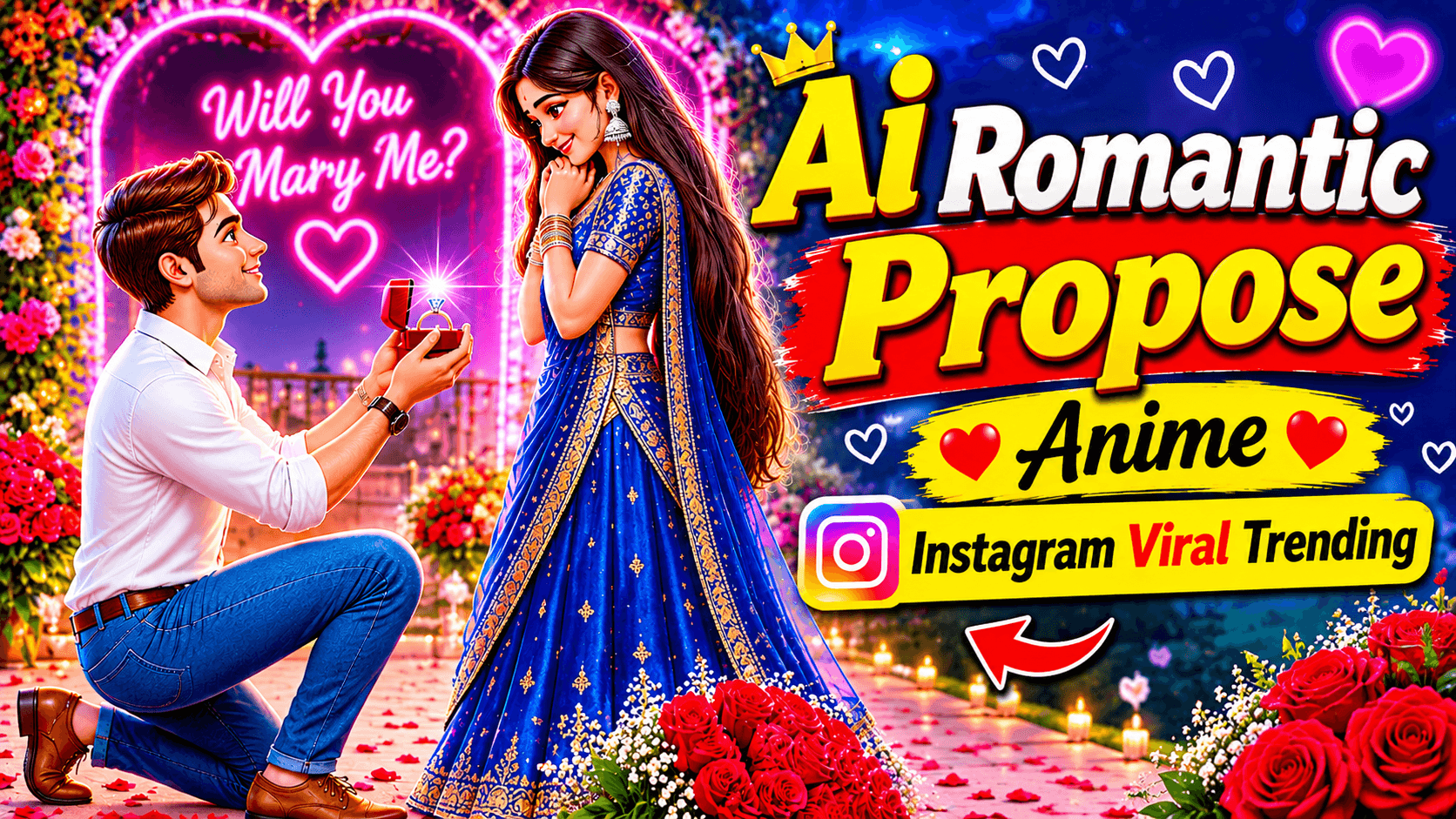
This creative AI romantic video features a young man holding a beautiful bouquet of red roses and expressing his feelings to a girl wearing an elegant traditional saree. The romantic outdoor setting, glowing decorative lights, beautiful character expressions, and cinematic atmosphere make this video a lovely example of AI-generated romantic storytelling.
With modern AI tools, you can turn your creative ideas into beautiful animated scenes without recording everything with a physical camera.
What Is an AI Romantic Proposal Video?
Video prompt..
A vertical 9:16 romantic anime/manhwa-style 2D digital illustration animation set in an outdoor garden or park at night. Soft, warm golden string lights (fairy lights) and glowing street lanterns hang across lush dark green trees in the background, creating a dreamy, rich bokeh effect.
Part 1 (0:00 – 0:04): Medium shot of a handsome young South Asian man with messy, tousled dark brown hair, fair skin, thick eyebrows, and expressive dark eyes. He is kneeling on one knee, wearing a dark maroon/burgundy button-down dress shirt with the top button undone and sleeves rolled up to his forearms, black trousers, and a black matte analog wristwatch on his left wrist. He is holding a bouquet of deep red roses accented with white baby's breath flowers, wrapped in crisp white paper and tied with a bright red satin ribbon. He looks upward with a gentle, affectionate smile, softly speaking with subtle lip-sync, blinking naturally, and slightly tilting his head as a light breeze gently moves strands of his hair.
Part 2 (0:04 – 0:10): Smooth cut to an over-the-shoulder reverse angle from behind the kneeling man, looking up at a beautiful young South Asian woman standing in front of him. She has long, wavy, cascading dark brown hair, glowing skin, soft blush, and wears silver oxidized jhumka earrings, stacked black glass bangles on both wrists, and a small black bindi. She is dressed in an elegant, flowing cream/beige pleated chiffon saree paired with a dark emerald-green full-sleeve sequined sweetheart-neck blouse. Initially, she covers her eyes and forehead shyly with her right hand while blushing and smiling bashfully as a gentle evening breeze blows the sheer pallu of her saree and strands of her hair. A warm golden-orange lens flare light leak transitions across the screen, after which she lowers her hand, looking down at him with tender, sparkling eyes and a warm smile as she reaches out her right hand to gently accept the bouquet of red roses from him.
Style & Technical Details: High-detail modern webtoon/manhwa art style, clean dark linework, soft cel-shaded lighting with warm rim-light highlights, cinematic shallow depth of field, subtle ambient wind physics on hair and fabric, smooth 24fps frame animation, romantic and emotional atmosphere.❤️An AI Romantic Proposal Video is a digitally created animation that uses artificial intelligence to generate characters, romantic environments, facial expressions, and cinematic movements.
You can create different romantic situations, including a surprise proposal, a rose bouquet presentation, a romantic couple meeting, an emotional love story, and a beautiful relationship moment.
AI image and video generation technology allows creators to experiment with different outfits, backgrounds, character designs, and storytelling styles.
AI Tools You Can Use to Create This Video
Here are some AI tools you can explore for creating similar romantic animations:
1. Google Gemini
Google Gemini can help you develop creative ideas and generate or refine image prompts. Its image-generation capabilities can also be used to create romantic couple images, depending on the available features.
2. Kling AI
Kling AI offers AI video generation features that can help animate reference images and create cinematic character movements.
3. CapCut
CapCut can be used to edit generated video clips, add romantic background music, apply transitions, adjust colors, and export the final video.
4. Other AI Image and Video Generators
You can also explore other AI platforms that support image generation, image-to-video animation, and character consistency.
Note: These are suggested tools for a similar creation workflow, not a verified list of the tools originally used to produce the uploaded video.
How to Create an AI Romantic Proposal Video
Step 1: Create Your Romantic Couple Characters
Start by creating two adult characters using an AI image-generation tool. Choose their appearance, hairstyle, outfits, and expressions.
For example, create a young man wearing a stylish maroon shirt and a woman wearing a beautiful traditional saree.
Step 2: Generate a Romantic Background
Create a beautiful outdoor environment with decorative glowing lights, green surroundings, and a warm cinematic atmosphere.
A romantic evening background can make your AI-generated scene more visually appealing.
Step 3: Create the Proposal Scene
Generate an image showing the man sitting with a bouquet of red roses and presenting it to the woman.
Focus on natural body language, realistic expressions, beautiful character details, and a balanced composition.
Step 4: Animate Your AI Images
Upload your reference images to an AI video-generation tool such as Kling AI.
Use suitable animation instructions to create natural movements, smiling expressions, gentle hand movements, and cinematic camera motion.
Step 5: Edit Your Romantic Video
Import your generated clips into CapCut or another video editor.
Add romantic background music, smooth transitions, color correction, and suitable sound effects.
Step 6: Export Your Final Video
Export your video in vertical 9:16 format for Instagram Reels and YouTube Shorts.
Check the final video quality before publishing.
Best AI Prompt for Romantic Proposal Animation
Create a beautiful cinematic romantic proposal scene featuring the same young adult Indian couple. The man is wearing a stylish maroon shirt and holding a bouquet of fresh red roses while sitting on one knee in front of a beautiful woman wearing an elegant cream saree with a dark green blouse. The woman smiles emotionally and looks at the man with affection. Beautiful outdoor garden environment, warm decorative fairy lights, romantic evening atmosphere, natural facial expressions, realistic character details, soft cinematic lighting, beautiful depth of field, smooth natural body movements, professional romantic movie cinematography, vertical 9:16 composition.
Why Create AI Romantic Videos?
AI romantic animations offer a creative way to produce beautiful visual stories. You can experiment with different characters, romantic locations, emotional moments, and cinematic scenes.
These videos can be used for:
- Instagram Reels
- YouTube Shorts
- Facebook Reels
- WhatsApp Status
- Romantic AI Animation
- AI Love Story Projects
- Creative Social Media Content
Tips for Better AI Romantic Animations
- Use high-quality reference images.
- Maintain consistent characters throughout the video.
- Write detailed image and animation prompts.
- Use natural facial expressions.
- Avoid unnatural hand and body movements.
- Choose suitable romantic backgrounds.
- Add music that matches the scene.
- Use smooth transitions.
- Export in high quality.
Frequently Asked Questions
1. How can I create an AI romantic proposal video?
You can create one using AI image generators, AI video generators, and video editing applications. First create your characters, generate romantic images, animate them, and combine the clips.
2. Can I use Google Gemini to create romantic AI images?
Yes, Google Gemini offers image-generation capabilities in supported experiences. Available features may depend on your account and region.
3. Can Kling AI animate romantic couple images?
Kling AI provides image-to-video generation features that can animate reference images with suitable movement instructions.
4. Can I edit AI romantic videos in CapCut?
Yes, CapCut can help you combine clips, add music, apply transitions, and make final video adjustments.
5. Can beginners create AI romantic animations?
Yes. Beginners can experiment with AI image generation, image-to-video tools, and simple editing workflows.
Final Words
Creating a romantic AI proposal video is a beautiful way to explore artificial intelligence and digital storytelling. With creative prompts, suitable AI tools, realistic characters, and proper editing, you can create your own romantic animations and share them across social media platforms.
Keep experimenting with different romantic scenes and storytelling ideas to develop your own creative style.
Visit PG EDITOR for more AI video tutorials, AI image-generation guides, creative prompts, Instagram Reels ideas, and the latest AI tools.
PG EDITOR – Learn AI, Create Videos, and Explore Your Creativity!
Disclaimer: This content is provided for educational and creative purposes. AI-generated visuals may not represent real people or events.