How to Create AI Jatayu Edit – Instagram Viral Trending AI Video Tutorial
Want to create the trending AI Jatayu Edit video for Instagram? In this complete tutorial, you will learn how to create an amazing cinematic AI Jatayu video using AI image generation and AI video editing tools. If you have seen impressive AI bird videos, giant eagle animations, and cinematic mythological-style edits on Instagram Reels, this guide will help you understand how to create your own version.
Reference video
Video prompt..
Start frame: the first photo. End frame: the second photo (optional). Keep the same person (face, black hair, beard, black hoodie with grey-and-black puffer vest), the same location (blue sky with thin clouds, green trees, street lamps, signboard on the left), and the same natural daylight in every frame.
Photorealistic, 16:9, real phone-camera footage look, true-to-life colors, 4K detail. The camera is completely locked and still. There is no camera movement, no zoom and no shake. The frame stays exactly like the first photo throughout the video The person stays in the same pose the whole time, looking to the side and upward toward the sky as in the photo. His face does not turn back and his body does not rotate. Only very subtle natural motion is allowed: slow breathing, a gentle wind moving his hair and vest, and a calm, awed expression
From below the horizon behind the treeline, a gigantic eagle-like bird (Jatayu) slowly rises upward into the sky, the way Jatayu rises in the Ramayana movie scene. First the tips of its huge wings appear above the trees, then its wings open wide and its head and body lift up higher and higher behind the person, with slow heavy wingbeats. It ends high in the sky above and behind him, in the position of the second photo. The bird is solid and fully opaque, not transparent. It has realistic dark brown feathers with fine feather-level detail, a sharp yellow beak and eyes, and natural shadows. Its wingspan is enormous compared to the trees and street lamps, and it stavs at a distance without ever coming too close to the camera.
As the bird rises, the treetops sway and a few leaves and small birds scatter upward in the wind. The wings move with powerful, physically realistic flaps and natural motion blur, in smooth slow motion Lighting stays the same natural blue-sky daylight as the photos: no glow, no lens flare, no light bloom, no fire, no orange tint, no color grading Mood: awe, epic but grounded. It should look like real footage, not CGI.
AI-generated fantasy videos are becoming an exciting creative trend among social media content creators. With the help of modern AI tools, you can transform simple ideas into powerful cinematic scenes featuring giant birds, flying characters, dramatic skies, glowing feathers, and realistic environments.
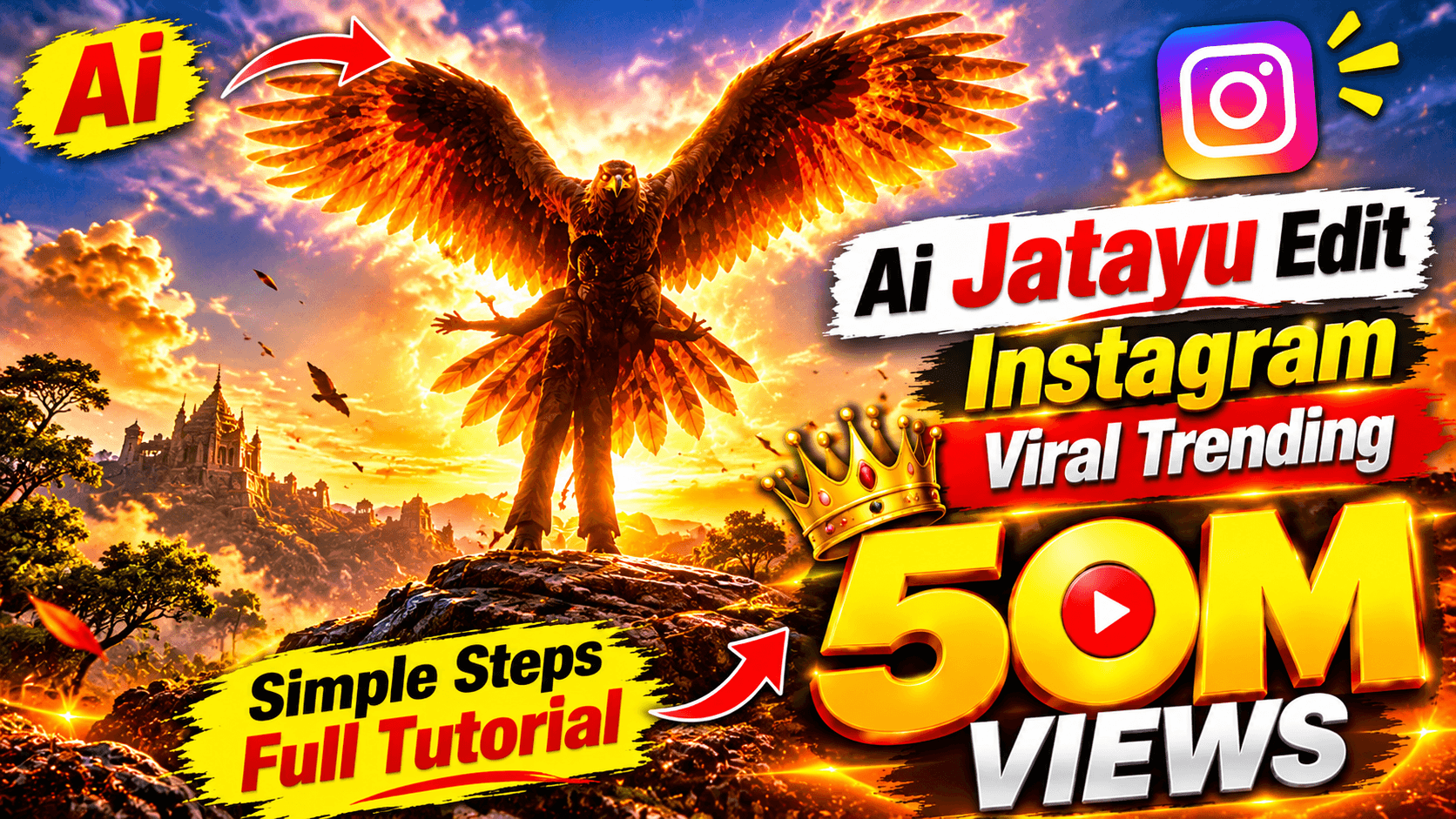
The AI Jatayu Edit is a creative video concept inspired by Jatayu, the legendary divine bird from the Ramayana. You can create visually impressive scenes featuring a giant eagle-like character with enormous wings, dramatic flying movements, beautiful landscapes, and cinematic lighting.
In this step-by-step AI Jatayu Instagram Viral Video tutorial, PG EDITOR will guide you through the complete process of creating AI images, converting images into videos, adding cinematic effects, and editing everything into an attractive Instagram Reel.
What Is AI Jatayu Edit?
AI Jatayu Edit is an AI-generated cinematic video concept featuring Jatayu, the legendary bird known from the Indian epic Ramayana.
Using AI image generation and video generation technology, creators can design a powerful giant bird character with realistic feathers, enormous wings, detailed textures, and cinematic visual effects.
You can create different scenes showing Jatayu standing on a mountain, spreading its wings, flying through the clouds, or appearing in a beautiful sunset environment.
These creative AI scenes can be combined to produce an engaging short video for Instagram Reels, YouTube Shorts, and Facebook Reels.
Why Is AI Jatayu Video Trending?
AI video generation has opened new creative opportunities for content creators. Fantasy characters, cinematic bird animations, mythological-inspired visuals, and realistic AI-generated scenes are interesting concepts for short-form video content.
Here are some reasons to experiment with AI Jatayu videos:
- Create impressive cinematic bird animations.
- Generate realistic giant eagle characters.
- Make beautiful fantasy and mythological-inspired scenes.
- Experiment with dramatic flying movements.
- Create unique AI-generated visual stories.
- Produce creative Instagram Reels and YouTube Shorts.
- Explore advanced AI image-to-video technology.
What You Need to Create AI Jatayu Video
Before starting the editing process, prepare these things:
1. An AI image generator to create your Jatayu character.
2. An AI video generator to animate your images.
3. Detailed AI image and video prompts.
4. A video editing application.
5. Background music and cinematic sound effects.
6. A suitable vertical video export setting.
Some AI tools provide free credits or limited free features, while others require a subscription. Choose tools according to your requirements and available budget.
Step-by-Step Guide to Create AI Jatayu Instagram Viral Video
Step 1: Generate an AI Jatayu Character Image
First, create a detailed image of Jatayu using an AI image generator.
Describe the character carefully, including its enormous wings, detailed feathers, powerful appearance, realistic bird anatomy, and cinematic environment.
You can choose a fantasy-inspired appearance with golden feathers, dramatic lighting, and a beautiful sunset background.
For better results, create a high-quality reference image that you can use throughout the video creation process.
Step 2: Create Cinematic AI Jatayu Scenes
After generating the main character image, create different scenes for your video.
Here are some creative scene ideas:
- Jatayu standing on a high mountain.
- Jatayu spreading its enormous wings.
- Jatayu flying above beautiful mountains.
- Jatayu flying through dramatic clouds.
- A close-up shot showing detailed feathers.
- Jatayu appearing against a glowing sunset.
- A powerful cinematic final flying scene.
Use similar character descriptions in every prompt to maintain a consistent appearance.
Step 3: Convert AI Images into Videos
Now open an AI image-to-video generation tool and upload your Jatayu images.
Add motion instructions to animate the character. You can describe wing movements, flying actions, camera movements, and environmental effects.
For example, you can create a scene where Jatayu slowly spreads its enormous wings before flying into the sky.
Try to use natural movements and avoid excessive animation to maintain realistic-looking results.
Step 4: Add Cinematic Camera Movements
Camera movement can make your AI Jatayu video look more professional.
Experiment with these camera techniques:
- Slow cinematic zoom-in.
- Wide aerial camera shots.
- Smooth tracking shots.
- Low-angle hero shots.
- Slow-motion flying shots.
- Dramatic close-up shots.
Choose camera movements according to the action in each scene.
Step 5: Edit Your AI Jatayu Video
Once all your AI-generated clips are ready, import them into your preferred video editing application.
Arrange the clips in the correct sequence and add suitable transitions.
You can improve your final video by adding:
- Cinematic background music.
- Powerful bird wing sound effects.
- Dramatic atmosphere sounds.
- Smooth transitions.
- Color grading.
- Motion effects.
- Suitable text overlays.
Make sure that every scene connects naturally with the next one.
Step 6: Export Your Video for Instagram Reels
After completing the editing process, export your final video in vertical 9:16 format.
Use a high-quality resolution and suitable frame rate supported by your editing application.
Before uploading, watch the complete video and check the animation quality, character consistency, transitions, and audio.
Your AI Jatayu Edit video is now ready to share on Instagram Reels!
Best AI Jatayu Video Prompts
You can use the following example prompts to experiment with different cinematic scenes.
Prompt 1: Realistic AI Jatayu Character
Create a highly detailed cinematic fantasy bird inspired by the legendary Jatayu from Indian mythology. A magnificent giant eagle-like bird with enormous outstretched wings, beautifully detailed golden-brown feathers, powerful body structure, sharp focused eyes, standing majestically on a rocky mountain peak. Dramatic golden sunset, glowing clouds, epic cinematic atmosphere, realistic feather details, professional fantasy movie cinematography, ultra-detailed environment, vertical 9:16 composition.
Prompt 2: Jatayu Flying in the Sky
Create a cinematic animation of the same magnificent Jatayu-inspired giant bird flying majestically through the sky. Its enormous feathered wings move naturally and powerfully, realistic feather movement, beautiful clouds surrounding the character, glowing golden sunlight, dramatic aerial camera tracking, realistic environmental motion, epic fantasy atmosphere, smooth cinematic animation, vertical 9:16 format.
Prompt 3: Jatayu Hero Shot
Create a powerful cinematic hero shot of the same giant Jatayu-inspired bird standing on a mountain cliff with its enormous wings fully spread. Strong golden sunlight shines behind the character, dramatic clouds move through the background, detailed feathers, realistic anatomy, majestic appearance, slow cinematic camera push-in, epic fantasy atmosphere, high-quality visual details, vertical 9:16 format.
Tips to Make Your AI Jatayu Video More Attractive
If you want to improve your AI-generated video quality, follow these useful tips:
- Always use a high-quality character reference image.
- Maintain the same Jatayu character in every scene.
- Write detailed prompts for better AI generation.
- Use realistic wing movements.
- Choose cinematic backgrounds and lighting.
- Avoid unnatural character movements.
- Use suitable background music.
- Add professional sound effects.
- Keep the video visually engaging.
- Create an interesting opening scene.
- Use smooth transitions between clips.
- Export the final video in high quality.
How to Upload AI Jatayu Video on Instagram
Once your video is ready, open Instagram and select the Reels upload option.
Choose your edited AI Jatayu video from your phone gallery. Add an attractive caption that describes your video and select a suitable cover image.
You can also use relevant hashtags to help categorize your content.
Here are some hashtag ideas:
#AIJatayu #AIJatayuEdit #AIVideo #AIEditing #InstagramReels #AIViralVideo #AIAnimation #Jatayu #TrendingReels #PGEDITOR
Before publishing, check the video preview, caption, audio, and cover image.
Best Platforms to Share AI Jatayu Videos
You can share your creative AI-generated videos on multiple social media platforms:
Instagram Reels: Share short cinematic AI Jatayu videos with your Instagram audience.
YouTube Shorts: Publish vertical AI-generated videos to reach viewers interested in AI animation and creative content.
Facebook Reels: Share your AI bird animations with a wider audience.
WhatsApp Status: Share short versions of your AI Jatayu videos with friends and followers.
Frequently Asked Questions (FAQs)
1. What is an AI Jatayu Edit?
AI Jatayu Edit is a creative AI-generated video concept featuring a giant legendary bird inspired by Jatayu from the Ramayana.
2. How can I create an AI Jatayu video?
You can create an AI Jatayu video using an AI image generator, an AI image-to-video tool, and a video editing application.
3. Can I create AI Jatayu videos for free?
Some AI platforms offer free credits or limited free generations. However, advanced features and additional video generation may require paid plans.
4. Can I upload AI Jatayu videos on Instagram?
Yes. You can upload original AI-generated Jatayu videos as Instagram Reels, provided they follow Instagram's content guidelines.
5. How can I make Jatayu fly in an AI video?
Generate a high-quality Jatayu reference image and use an AI image-to-video generator with a detailed prompt describing natural wing movements, flying actions, and cinematic camera movement.
6. How do I maintain the same Jatayu character in every scene?
Use the same reference image whenever possible and repeat the character's appearance and design details in every prompt.
7. Can AI Jatayu videos get millions of views?
AI Jatayu videos can attract attention if they have creative visuals, engaging storytelling, and good editing. However, no one can guarantee a specific number of views, as performance depends on audience engagement and platform recommendations.
Final Words
Creating an AI Jatayu Instagram Viral Trending Video is a creative way to explore modern AI image generation and video animation technology.
With the right prompts, high-quality reference images, realistic animations, cinematic camera movements, and professional editing, you can create impressive Jatayu-inspired videos for your social media accounts.
Follow the steps explained in this tutorial and experiment with different scenes, camera angles, and visual effects to create your own unique AI Jatayu video.
If you enjoyed this tutorial, share it with your friends and keep visiting PG EDITOR for more AI video creation tutorials, Instagram viral trends, AI editing tips, creative prompts, and the latest AI tools.
Keep Creating, Keep Learning, and Keep Exploring AI with PG EDITOR!
Disclaimer: Jatayu is a character from Indian epic tradition. This tutorial describes AI-generated creative interpretations. The 50M Views figure is an aspirational promotional concept, not a guaranteed result.